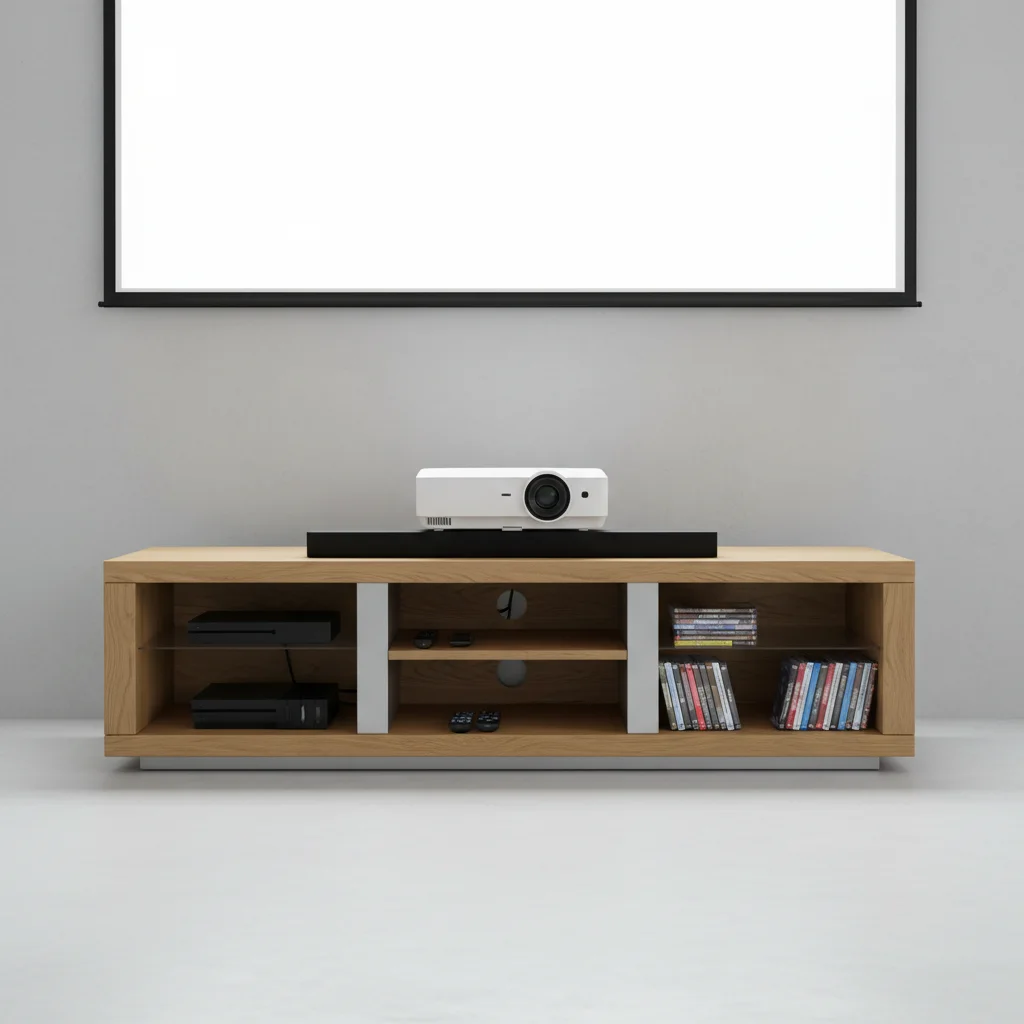
Choosing the right TV stand for your projector setup is crucial for an optimal home theater experience. While traditional TV stands are designed for televisions, a projector setup requires specific considerations for height, stability, and cable management. You’ll need a stand that can accommodate your projector’s throw distance, provide a stable surface to prevent image distortion, and offer discreet storage for cables and other media devices. This guide will walk you through the essential factors to consider when selecting a TV stand that perfectly complements your projector, ensuring a cinematic view every time.
Understanding Projector Placement and Throw Distance
The throw distance is the distance between your projector and the screen, which directly impacts the size of the image. Different projectors have varying throw ratios, meaning some can project a large image from a short distance (short-throw), while others need more space (long-throw). Your TV stand’s placement will be dictated by this. For short-throw projectors, a stand closer to the screen is ideal, often directly beneath it. Long-throw projectors, however, might require a stand positioned further back in the room, potentially even behind your seating area. Always consult your projector’s manual for its specific throw ratio and recommended placement guidelines to ensure you achieve the desired screen size and clarity.
Key Features for a Projector-Friendly TV Stand
When selecting a TV stand for your projector, several features stand out as particularly beneficial. Stability is paramount; a wobbly stand can lead to a distorted or shaky image. Look for stands made from robust materials like solid wood or metal with a wide, stable base. Adjustable shelving is another critical feature, allowing you to fine-tune the projector’s height for perfect alignment with your screen. Furthermore, effective cable management is essential to maintain a clean and organized look, preventing tangled wires from detracting from your home theater’s aesthetic. Consider stands with built-in cable holes, channels, or even hidden compartments.
- Adjustable Height: Ensures perfect alignment with your projector screen.
- Robust Construction: Provides stability to prevent image distortion.
- Integrated Cable Management: Keeps wires tidy and out of sight.
- Ventilation: Prevents overheating of your projector and other devices.
- Ample Storage: Accommodates media players, sound systems, and accessories.
Optimizing for Sound and Accessories
|
Our Picks for the Best TV Stand in 2026
As an Amazon Associate I earn from qualifying purchases.
|
||
| Num | Product | Action |
|---|---|---|
| 1 | HOOBRO TV Stand with Power Outlets to 65 Inches, TV Console Table with Open Storage Shelves, Industrial Media Entertainment Center for Living Room Bedroom, Rustic Brown and Black BF40DS01 |

|
| 2 | TV Stand for TVs up to 55", Entertainment Center with 2 Fabric Drawer, Media Console with Shelves, Television Stands for Living Room, Bedroom, Black DS02BB |
|
| 3 | PERLESMITH Universal Swivel TV Stand for 24-60 inch TVs up to 99 lbs, 12 Height Adjustable Table Top TV Stand, TV Base Stand with Tempered Glass Base, Max VESA 400x400mm, PSTVS33 |
|
| 4 | 23 Inch to 50 Inch Floor Small Corner TV Stand with Storage Shelves for Living Room Bedroom, Universal Floor Television Stands with Mount, Rustic Brown Corner TV Table Desk Shelf for Small Space |
|
| 5 | Furologee TV Stand for TVs up to 55 Inch, Entertainment Center with Open Storage Shelves, Media Console Table with Soundbar Shelf for Living Room, Bedroom, Rustic Brown |
|
| 6 | YGEOMER Entertainment Center for Up to 55 Inch TVs, TV Stand with Power Outlet and Open Storage Shelves, TV Media Console Table for Living Room and Bedroom, Black |
|
| 7 | HOOBRO TV Stand with Charging Station to 55 Inches, LED Entertainment Center, Media TV Console Table with Open Storage Shelving for Living Room, Bedroom, Black BB122UDDS01 |
|
| 8 | HOOBRO LED TV Stand with Power Outlets to 65 inch TV, Gaming Entertainment Center with Glass Shelves and Large Drawer, Modern Media TV Console Table for Living Room Bedroom, White WT14UDDS01 |
|
| 9 | Furinno Sully 3-Tier Stand for TV up to 40, Espresso/Black |
|
| 10 | WALI Floor TV Stand with Power Outlet, Tall TV Stand Mount for 32-75 inch TV up to 110 lbs, Swivel and Height Adjustable TV Stands with Wood Base for Bedroom, Office(TVDVD-7P), Black |
|
A great home theater isn’t just about the visuals; sound plays an equally important role. Your TV stand should also be able to accommodate your sound system, whether it’s a soundbar, bookshelf speakers, or a full surround sound receiver. Look for stands with dedicated shelves or compartments for these components. Adequate ventilation is also crucial for all your electronic devices, including the projector, receiver, and gaming consoles, to prevent overheating and prolong their lifespan. Some stands even come with built-in cooling fans or open designs to facilitate airflow.
Choosing the Right Style and Material
Beyond functionality, the aesthetic of your TV stand contributes significantly to your room’s overall decor. Modern, minimalist designs often feature clean lines and materials like glass and metal, perfect for a sleek home theater. Rustic or farmhouse styles might incorporate distressed wood and industrial accents, adding warmth and character. Consider how the stand will integrate with your existing furniture and color scheme. The material choice also impacts durability and maintenance. Wood offers a classic, sturdy feel, while metal provides a contemporary edge. Glass can add a sense of lightness but may require more frequent cleaning to avoid fingerprints.
Installation and Setup Tips for Projector Stands
Once you’ve chosen your ideal TV stand, proper installation and setup are key to maximizing your projector’s performance. Begin by assembling the stand according to the manufacturer’s instructions, ensuring all components are securely fastened. Position the stand at the correct throw distance from your screen, making sure it’s level. Carefully place your projector on the stand, adjusting its height and tilt for perfect image alignment. Route all cables through the designated management systems to keep them organized and out of sight. Finally, test your setup with various content to fine-tune any adjustments and enjoy your optimized home theater experience.

The tips on throw distance were helpful, but I wish there were more specific brand recommendations for stands that work well with ultra-short throw projectors. I ended up having to do a lot more research on my own after reading. The stand I got is okay, but it was hard to find one that truly fit all the criteria without being super expensive.
I was really struggling to find a good solution for my new short-throw projector. This guide on TV stands for projectors was a lifesaver! I ended up getting a stand with adjustable shelves, which made it super easy to get the perfect height for my projector’s throw distance. My home theater setup looks so much cleaner now, and the image is perfectly aligned.
Finally, a guide that understands the unique needs of a projector setup! I always felt like regular TV stands just weren’t cutting it. The emphasis on stability and accommodating media devices was spot on. My new stand provides a rock-solid surface and has plenty of discreet storage for my soundbar and streaming boxes, making my living room feel much more organized.
Great advice on cable management. My old setup was a tangled mess, and I didn’t even think about how a proper TV stand could help with that for a projector. I found a stand with built-in channels and it’s made a huge difference. The stability factor was also something I hadn’t considered enough, but it’s definitely important for preventing image distortion.